How to Choose Billing Software for Your Shop: 7 Things That Actually Matter
Feature lists all look similar. Here's what actually separates billing software you'll still be using in six months from software you'll quietly stop opening.
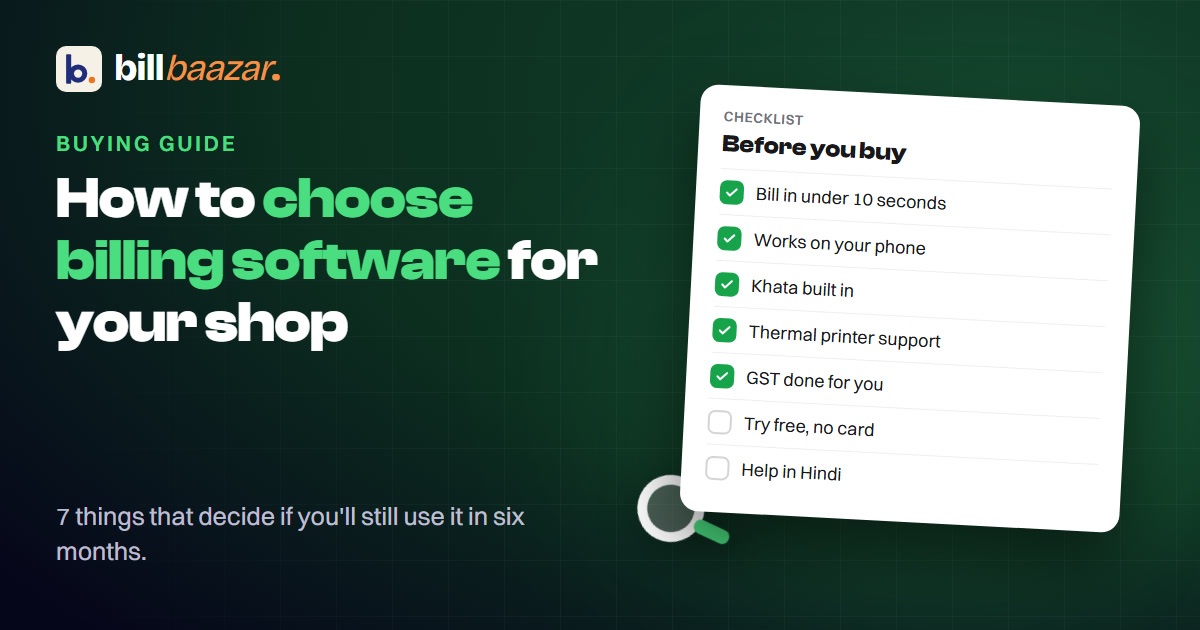
Every billing software's feature list looks roughly the same: GST invoicing, reports, "easy to use." That's not useful when you're actually choosing. Here's what separates the ones shops keep using from the ones they quietly abandon after a month.
1. Does it match how your shop actually sells?
A grocery store, a sweets shop and a bakery all "sell products," but the details differ — weight-based pricing, advance orders, wastage on perishables, hundreds of SKUs versus a few dozen. Generic billing software handles the average case; it's the specific case — your case — that determines whether it saves time or just adds a screen to work around.
2. Real GST, not a GST-shaped feature
Ask specifically whether it handles SGST/CGST shown separately (a requirement, not a nicety), HSN codes per product, and both inclusive and exclusive pricing without manual correction. "GST invoicing" as a bullet point can mean any of these, or none.
3. A real khata, not just a receipt
If you extend credit to any customer, the software needs a genuine running ledger — balance carried forward, a day-by-day statement, not just "invoice paid" or "invoice unpaid." This is usually where cheap or generic tools fall short first.
4. Works on the phone you already own
Software that needs a specific tablet, a specific OS version, or an app to install before you can bill is friction you'll feel every single day. Anything that runs in a browser on an ordinary Android phone removes that entirely.
5. Thermal printing that just works
If you print receipts, check the printer size support (2-inch, 3-inch, 4-inch are all common) and how printing actually happens on Android — Bluetooth support matters more than it sounds like it should, because "print" that requires plugging into a computer isn't print at the counter.
6. Staff access that isn't all-or-nothing
If anyone besides you uses the system, check whether you can limit what they see — billing only, or stock, or reports — and whether customer balances can be hidden from staff. Software with one login for everyone becomes a liability the day you hire your first employee.
7. What happens to your data if you stop paying
This is the one nobody asks and everybody regrets not asking. If a subscription lapses, is your data deleted, locked, or just paused? Can you export your customer list and invoice history at any time, in a format you can actually use elsewhere? A "yes" here should be unambiguous, in writing, not implied.
Matching this to your shop type
If you run a specific kind of shop, the details above show up differently in practice:
- Sweets shops — weight-based pricing and festival-season stock matter more than almost anything else on this list.
- Bakeries — advance orders and wastage tracking on perishables are the two that generic software usually misses.
- Grocery & kirana stores — SKU count and monthly credit customers are the real test.
Whichever you run, the honest way to evaluate any of this is to actually try it against your own products and your own customers for a couple of weeks, not read a feature list. See BillBaazar's full feature set, or start a free 15-day trial and bill a real day's sales with it.
Try BillBaazar in your shop
Free for 15 days, no card needed. We'll move your customer list across for you.
Keep reading
Ready to close the notebook?
Set up your shop in ten minutes. Free for 15 days, no card, and we'll move your customer list across for you.